
RSVP & Form Tracker - TallyOK
Screenshots
About
TallyOK is an RSVP tracker and sign up sheet for people who have to collect answers from a fixed list of groups. List your recipients, send each one its own link, and see who has replied, who has not, and the totals, without merging anything by hand.
■ The chore it removes
· You post a form in the group chat and cannot tell who has not answered
· You compare the answers with your list, name by name
· You chase the missing ones one at a time
· You copy everything into a spreadsheet to add it up
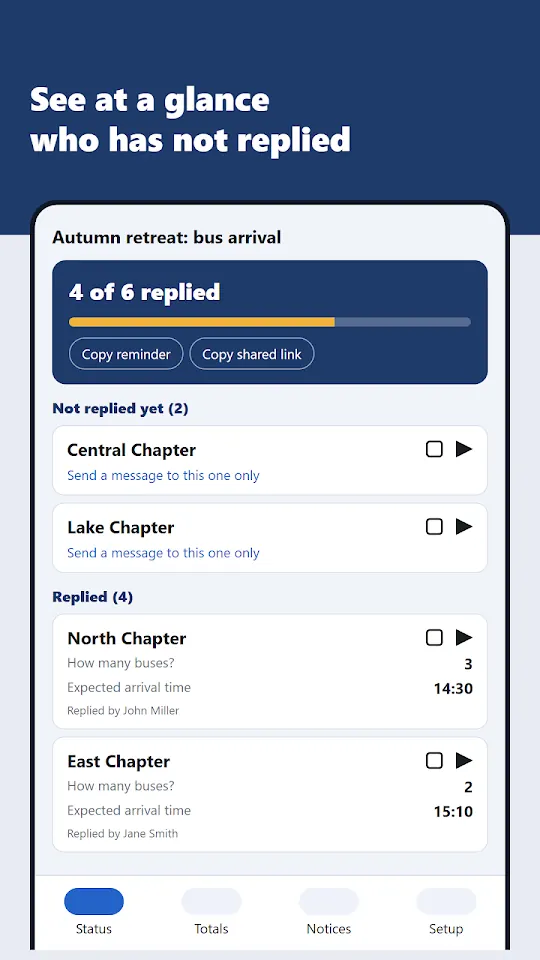
TallyOK starts from the list, so the missing replies are visible from the first minute.
■ How it works, in four steps
1. List the recipients, one name per line: teams, classes, branches, families, buses.
2. Write the questions. Each one is a number, a time, a date, a choice, yes/no or text, so answers come back in a form that can be added up.
3. Send each recipient its link by chat, text or e-mail.
4. Open Status to see "8 of 20 replied", the list of those who have not replied yet, and the totals per question. Copy a reminder for the ones still missing with one tap.
■ What the person who replies does
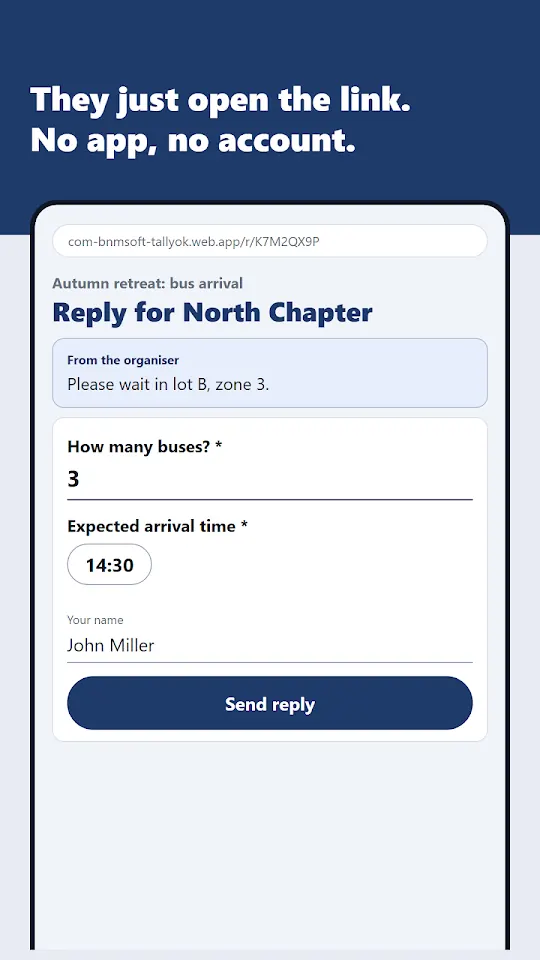
· Opens the link. Nothing to install, no account, no password.
· Answers the questions and types a name.
· Can change the reply through the same link until the deadline.
· Optional: a second person on the same link confirms the reply before it counts as final.
■ A message for each recipient, and notices
· Write a message to one recipient, for example where to wait or which gate to use. It shows only on that recipient's link.
· Post a notice to everyone. Each recipient taps "I have seen it", and you get "Seen by 15 of 20" with the names of those who have not.
■ Totals and Excel
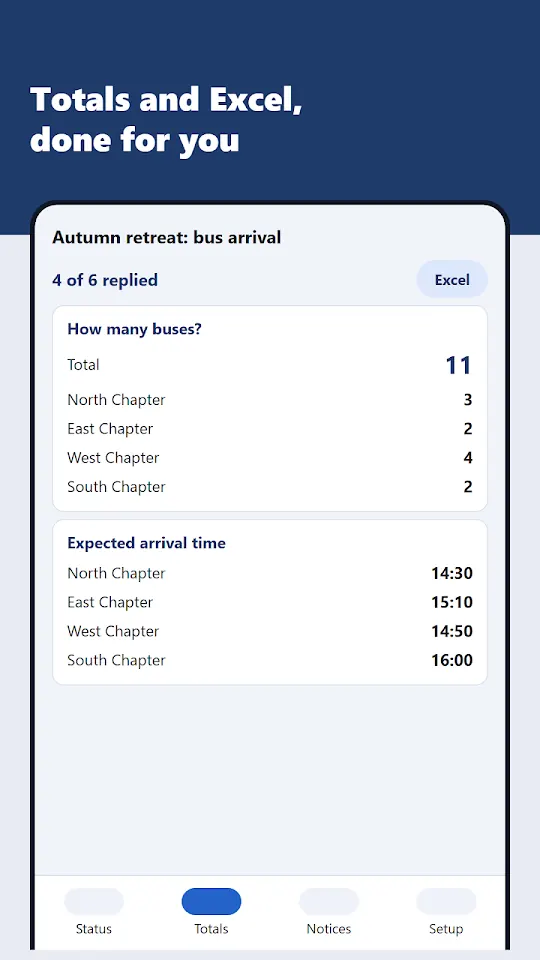
· Totals per question: headcount, meals, rooms, seats
· A table with one row per recipient
· Export to Excel for the report or the seating plan
■ What people use it for
· Event RSVP and headcount by group
· Meal counts and room allocation for a retreat, camp or conference
· Shuttle and bus arrival times
· Volunteer sign up: who can cover which shift
· Class and parent replies for a school trip
· Monthly figures from branches or chapters
It works as a form builder for any question that every group on a list has to answer.
■ iPhone users
People with an iPhone need no install. The link opens in the browser. In Safari, tap Share and then "Add to Home Screen" and it opens from an icon like an app. Organisers on an iPhone or a PC can use the same web version.
■ Cost and ads
TallyOK is free to use. People who reply see no ads. Only the organiser's screens in the Android app show ads.
■ What it is not
· Not a chat. Notices and messages go from the organiser to recipients only.
· Not a payment tool. It collects answers, not money.
· Answers are stored on a server so the organiser can see them from any device. Send each link only to the people who should answer. Details are in the privacy policy.
Contact: bnmsoft@naver.com
Made by Wonkyu Kim · BnmSoft
More apps

M'Cheyne Bible Reading Plan

Lock Screen Notes: Memo, To-do

Clap to Find Phone: ClapManner

Silent Mode Timer: Auto Mute

Bracket Maker - Table Tennis

TripFund: Group Trip Expenses

FundRoll: Club Treasurer Books

HeadcountOK: Event Check-In

Touch Lock - Video Touch Block

Move My Car - QR, No Number

Can't Hear - Big Live Captions