
SayType: Voice Typing Anywhere
Screenshots
About
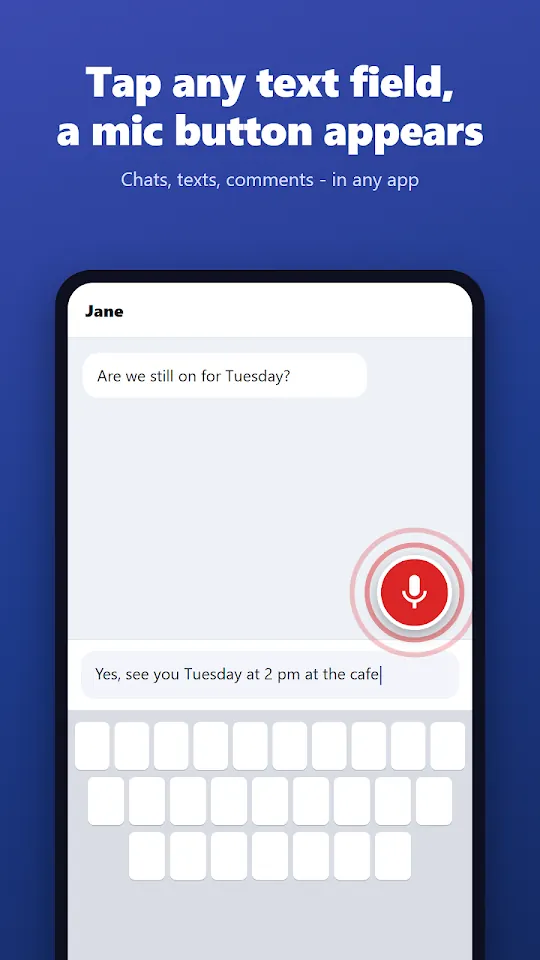
Tap a text field and a coin-sized round mic button appears. Tap it and speak: your words are typed into that field.
Typos on a tiny keyboard making chats, texts and comments a chore? Just say it.
HOW IT WORKS
1. Open a chat, a message or a comment box and tap the text field.
2. A round mic button appears. Tap it: it turns red.
3. Speak. Pauses are fine, it keeps listening.
4. Tap the button again when you are done. Your words are in the field.
WRONG WORDS? NO NEED TO SAY IT ALL AGAIN
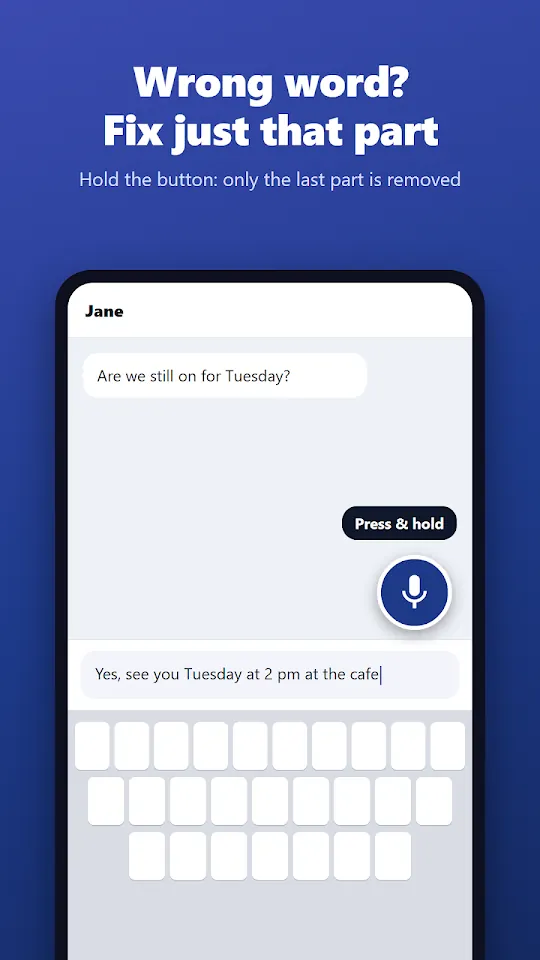
- Press and hold the button: only the last part is removed and it listens again.
- Or just say "delete".
- Auto replace: words that keep coming out wrong are fixed for you.
- My words: add names and shop names you use often so they are recognized better.
WHAT MAKES IT DIFFERENT
- No keyboard switch. Keep the keyboard you like; SayType only adds a mic button.
- No dictation time limit.
- Uses the speech recognition already on your phone (for example Google), so there is no extra cost.
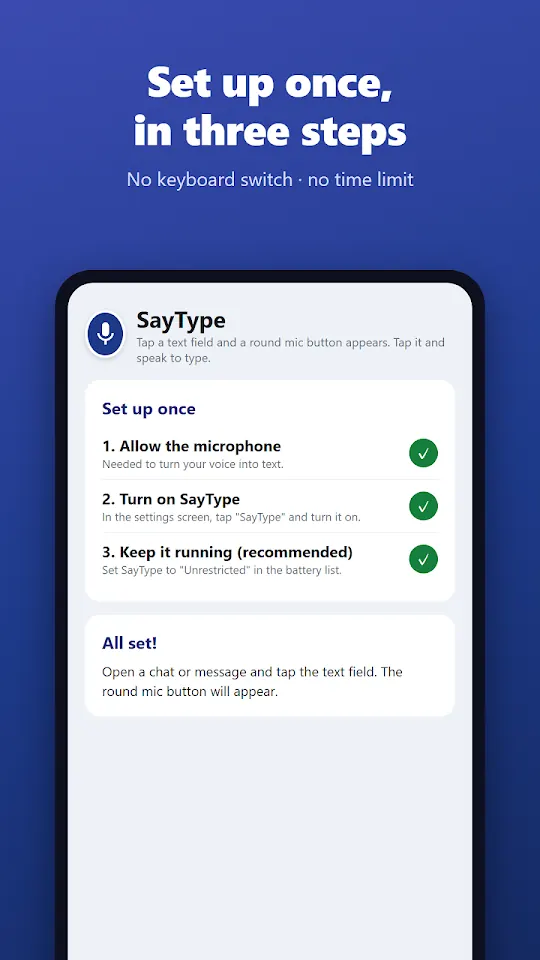
- Big text, big button. Set up once in three simple steps.
- Dictation in 9 languages: English, Korean, Japanese, Spanish, Portuguese, German, Hindi, Indonesian, Vietnamese.
PREMIUM
- No ads
- Choose the button size (small, normal, large) and color
- Unlimited "My words" and auto-replace lists (free: 10 each)
WHY SAYTYPE USES ACCESSIBILITY
SayType uses the Android Accessibility service for two things only: (1) to notice the text field you are typing in and show the round mic button, and (2) to write your spoken words into that field.
The button never appears on password fields. SayType does not store or send anything on your screen. You turn it on yourself and can turn it off anytime.
The microphone is used only while the button is red. Audio is not recorded or kept.
Contact: bnmsoft@naver.com
Made by Wonkyu Kim · BnmSoft
More apps

M'Cheyne Bible Reading Plan

Lock Screen Notes: Memo, To-do
Clap to Find Phone: ClapManner

Silent Mode Timer: Auto Mute

Bracket Maker - Table Tennis

TripFund: Group Trip Expenses

FundRoll: Club Treasurer Books

RSVP & Form Tracker - TallyOK

HeadcountOK: Event Check-In

Touch Lock - Video Touch Block
Move My Car - QR, No Number

Can't Hear - Big Live Captions

TodayCard: To Do List Planner